Reports are accessed via the top menu bar.
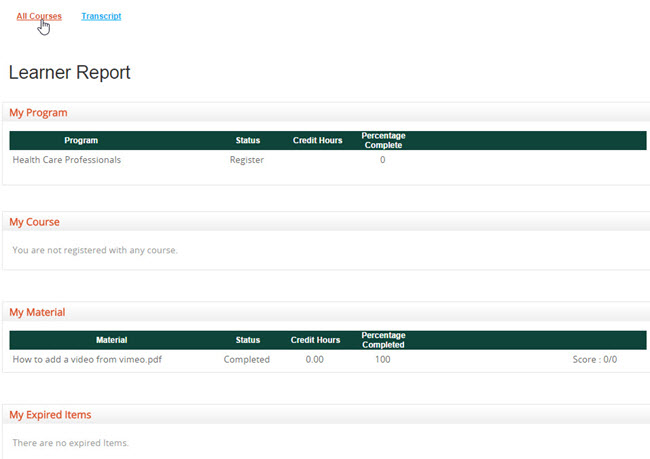
The Learner Report is located under the main Reports tab, in the sub-menu All Courses. The Learner Report shows which Programs, Courses, and Material percentage has been completed.
To see actual grades achieves under My Courses, go to Print/View Grades.
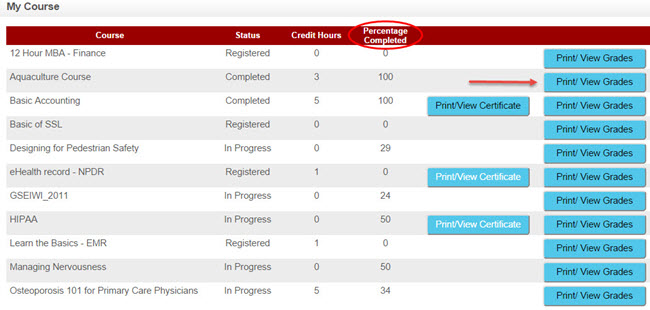
Here you will see the Mark achieved, the Percentage mark, and weight age percent (the importance of this course expressed as a percentage, if it is a part of a course program).
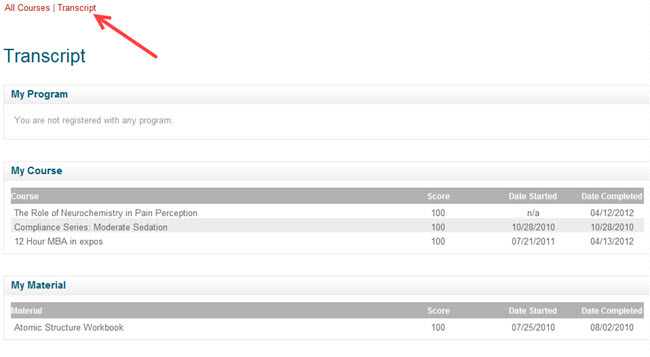
To receive an average mark per course or course material, click the sub-menu "Transcript" link.
It is a summary of your overall performance - your academic record. Each program, course, material, and report will be shown on this report. It lists the date you started and finished the course, together with the overall score.
There is also a link to external data, which will show up only if your instructor has added documentation to this section.